AI image editor
Edit a photo by describing the change
Saybrush is an AI image editor for photos you already have. Type one sentence to remove objects, swap backgrounds, relight or upscale. No text-to-image.
Examples
One sentence per edit
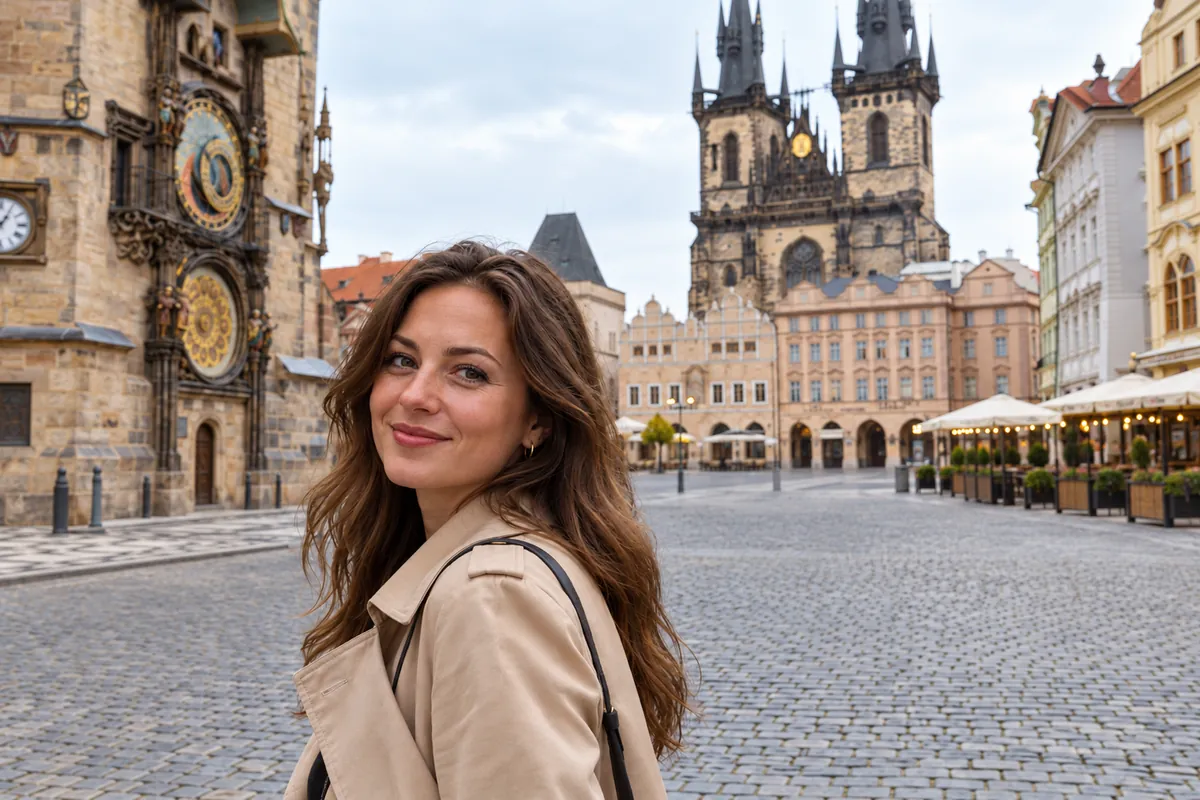
 Before
Remove Remove the people behind her
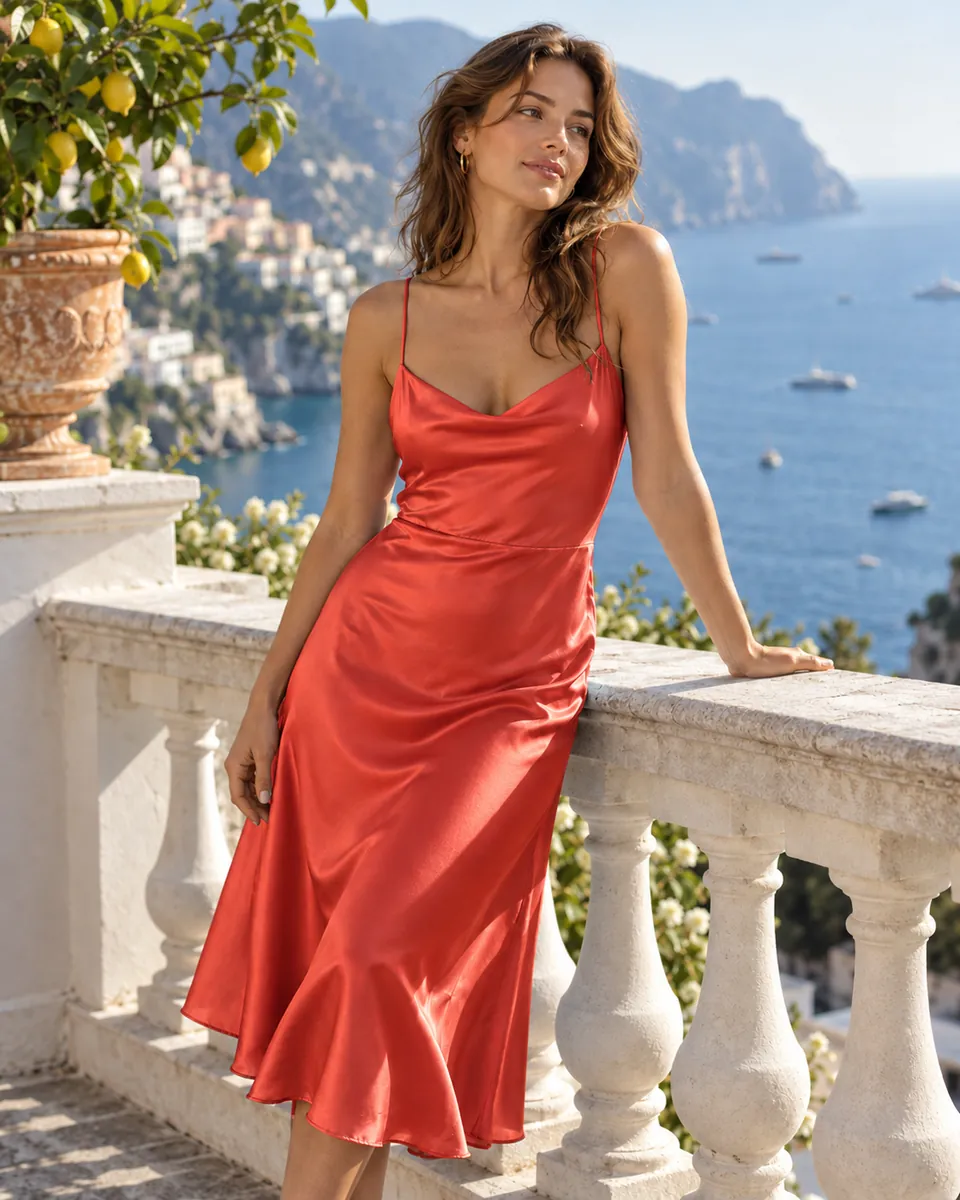
 Before
Recolor Change her dress to coral red
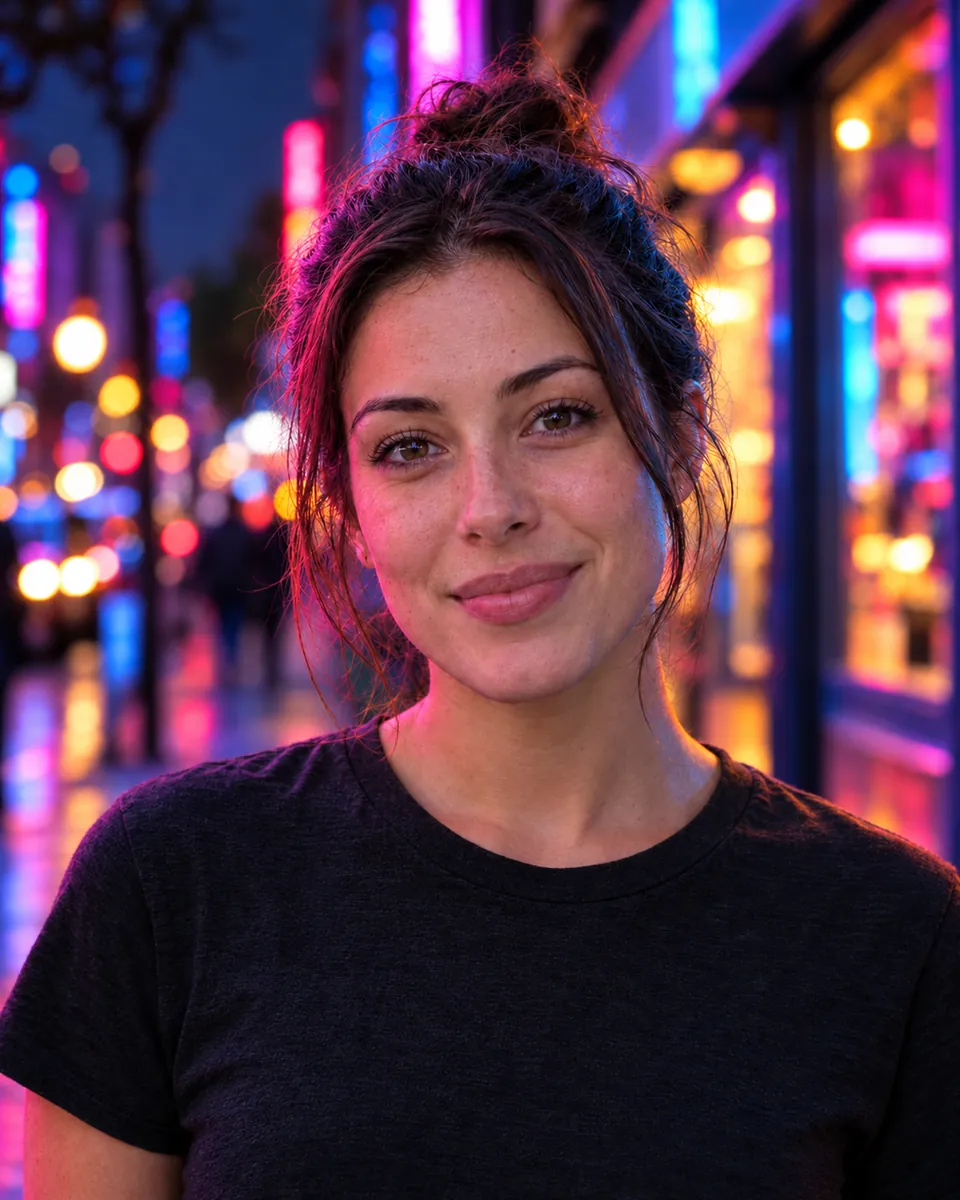
 Before
Relight Relight her with neon city signs
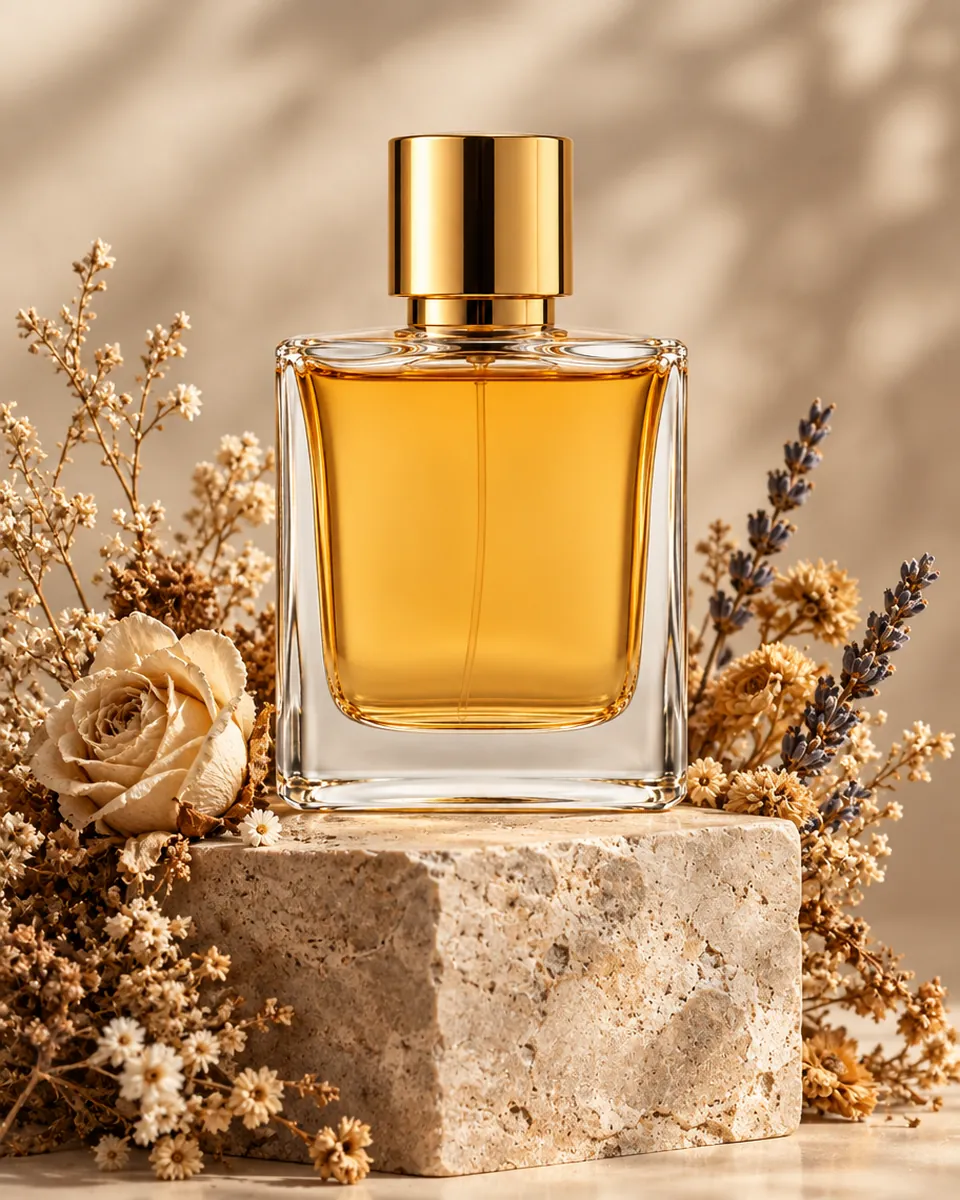
 Before
Background Put it on a stone pedestal with dried flowers
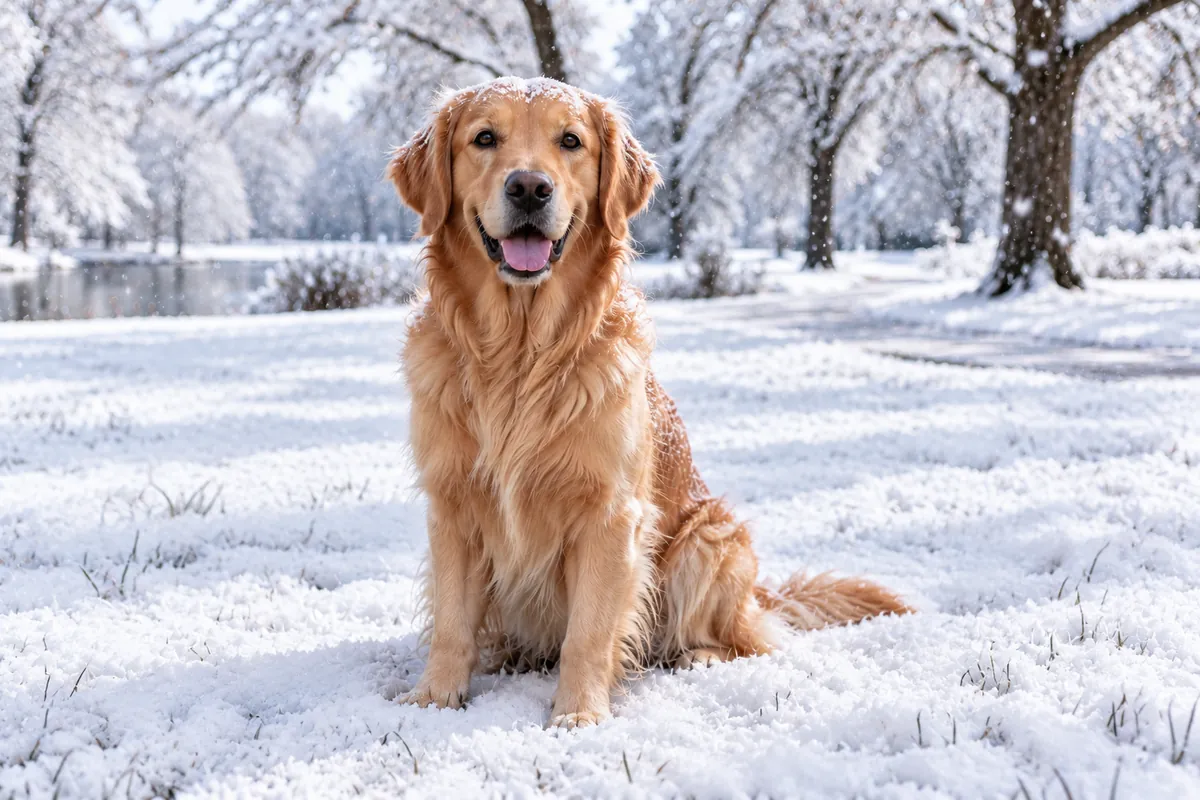
 Before
Background Make it a snowy winter day
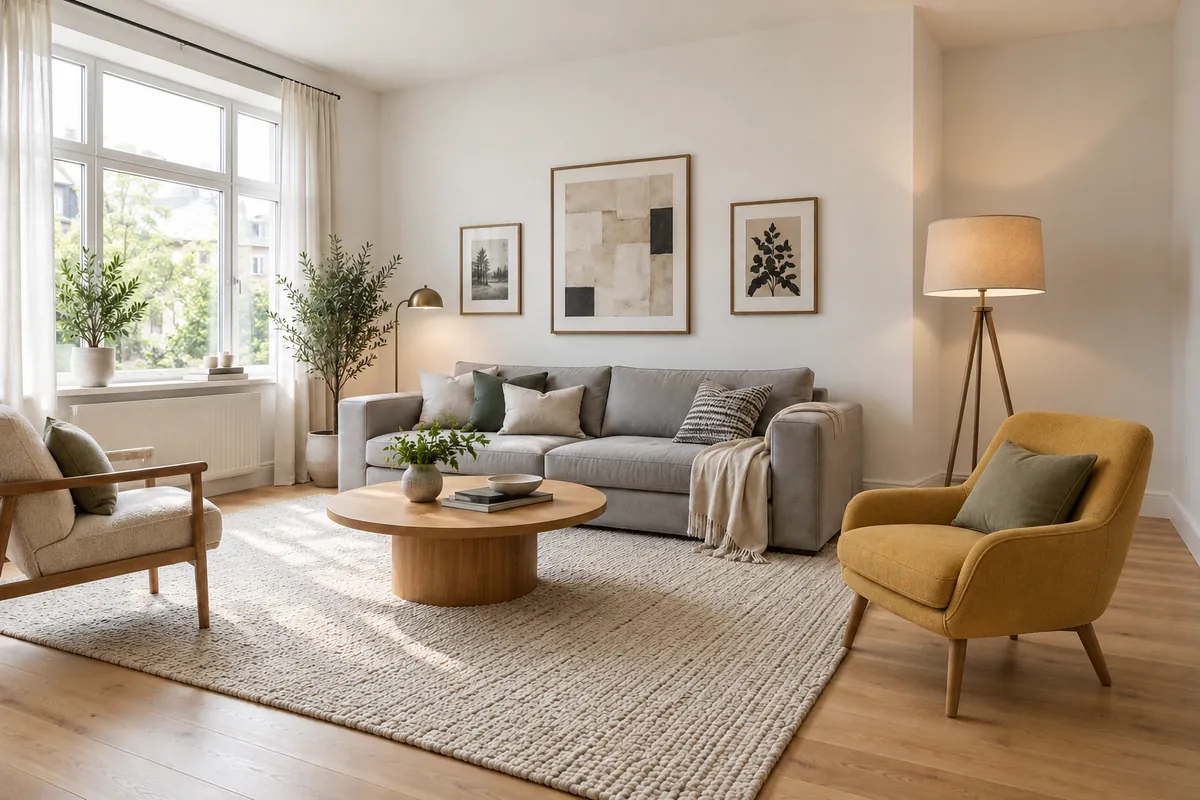
 Before
Add objects Add a yellow armchair and a floor lamp
Use cases
What people fix with an AI photo editor
Product photos
Swap a cluttered background for a clean set, fix a color, or remove a tag or reflection before the image goes into a listing or ad.
Put the bottle on a white marble counter
Rooms and interiors
Try a wall color, furniture or decor in a photo of a real room before you paint or buy.
Paint the walls sage green and add a jute rug
Portraits and people
Change clothes, background or light and keep the person recognizable. Saybrush does not swap faces.
Change the jacket to navy and keep his face unchanged
Travel photos
Clear tourists, signs or cars out of a shot, or change the weather and time of day, and keep the place and the people you came with.
Remove the people behind her
Quick facts
What Saybrush does, in one table
| What it is | An AI image editor, also called an AI photo editor, that changes a photo from a written instruction. |
|---|---|
| What it edits | Photos you upload in JPG, PNG or WebP. |
| How you edit | Type one plain-language sentence per change instead of selecting the area by hand. |
| Edit types | Remove objects, replace backgrounds, relight, recolor, add objects, remove the background, upscale. |
| Free use | 2 edits without an account, then 3 more when you sign up, one time. Free results carry a watermark. |
| File storage | Kept for 14 days on the free tier, and until you delete them on a paid plan. |
| Where it runs | In the browser on desktop and mobile. Nothing to install. |
How it works
How do you edit a photo with an AI image editor?
- 01
Upload
Drop or paste a JPG, PNG or WebP photo.
- 02
Describe
Write one change, the way you would brief a retoucher: “remove the boat”.
- 03
Download
Compare before and after, refine the sentence if needed, then save the result.
What it does
Everyday edits, described instead of drawn
Edit with one sentence
The editor changes what the sentence names and keeps the rest of the image. One change per sentence works more reliably than a long list.
Remove objects
Take out people, wires, text or clutter and fill the gap from the surrounding scene. Objects that cover most of the frame may leave a visible fill.
Replace the background
Place the subject in a new scene with matching light, or remove the background for a transparent PNG.
Relight and upscale
Change the time of day or the light color, fix exposure, and upscale small images to about 1536 px on the long side.
Prompt tips
How to write a prompt for an AI image editor
One change per sentence
“Remove the boat” works better than “remove the boat, brighten the sky and add birds”. Make the next change on the result.
Say which one and where
When there are several people or objects, name the one you mean: “remove the man in the red jacket on the left”.
Say what must stay
If the edit is close to something that matters, add “keep her face unchanged” or “keep the logo as it is”.
Describe the result, not the tool
Write “warm evening light from the window”, not “raise the temperature by 20%”. The editor works from what the photo should look like.
Reword instead of repeating
If an edit misses, change the words. “Make the sky orange” and “turn it into a sunset” are different instructions.
Which tool
AI image editor, photo editing app or image generator?
AI image editor
e.g. Saybrush
You upload a photo and describe one change. The editor finds the area and rewrites it, leaving the rest of the image as it was.
- Best when The photo is mostly right and one thing is wrong, and you do not want to learn selections or layers.
- Not ideal when You need exact control over every pixel of one area.
Manual photo editor
e.g. Photoshop, GIMP
You select, mask and adjust areas by hand, usually in layers.
- Best when You need precise retouching, print work or compositing, and you have the skill and time.
- Not ideal when You want a quick fix without learning the tools.
Text-to-image generator
e.g. Midjourney
You describe a whole picture in words and get a new image.
- Best when You have no photo to start from.
- Not ideal when The photo has to show your real product, room or person.
Is it right for you?
Who Saybrush is for, and what it won’t do
Best for
- Sellers fixing a product or listing photo that has one wrong thing in it.
- Anyone removing a person, sign or clutter from an otherwise good photo.
- Marketers who need a new background or time of day for a shot they already own.
Not for
- Face swaps. Saybrush does not offer them.
- Nudity or sexualized edits of anyone. These are blocked.
- Video.
Know before you start
- Every upload, prompt and result passes automated moderation. It can block a harmless edit by mistake; if it does, your credit is returned.
- The same sentence can give different results on each run.
- Small details such as text, hands and fine patterns can change during an edit. Check the result before you use it.
FAQ
Questions
What is an AI image editor?
An AI image editor changes an existing image from a written instruction. You describe the edit, such as removing an object or changing the light, and the AI rewrites that part and keeps the rest.
Is an AI image editor the same as an AI photo editor?
Yes. Both names describe a tool that edits a picture you upload. Some tools sold as an AI photo editor also generate images from text; Saybrush only edits.
Can I edit a photo just by describing the change?
Yes. Upload a photo and write one sentence such as “remove the boat”. Saybrush aims to change what the sentence describes and keep the rest of the photo, and returns a new version you can compare and refine.
Is there a free AI image editor without sign-up?
Yes. Saybrush gives 2 free edits without an account and 3 more when you sign up. Free edits are watermarked.
Does Saybrush add a watermark?
Only to free results. Once you buy credits or a plan, the watermark is removed from new edits and from earlier edits that have not expired.
Can it edit a photo without changing my face?
Usually, if you ask for it. Add “keep my face unchanged” to the sentence. An AI edit can still shift small details of a face, so compare before and after and reword the edit if the face changed.
Can this AI image editor generate images from text?
No. Saybrush edits photos you upload. To create an image from nothing, use a text-to-image generator, then bring the result here to edit it.
How is it different from editing a photo in ChatGPT or Gemini?
ChatGPT and Gemini can also edit an uploaded image in a chat. Saybrush is built only for editing: before and after side by side, one-click edits such as Remove object and Upscale, and each change saved as a new version to compare. The model it runs on is named at the bottom of this page.
How long does an edit take?
Usually about a minute.
What resolution are the results?
About 1536 px on the long side, for example 1536 × 1024 for a landscape photo. Smaller uploads are scaled up to that size.
Is it safe to upload my photos to an AI image editor?
On Saybrush, your uploads and edits are stored privately and only you can open them. Photos are sent to our AI model and moderation providers to process each edit. Free files are deleted after 14 days; paid files are kept until you delete them.
Which image formats are supported?
JPG, PNG and WebP.
Do I need to install anything?
No. Saybrush runs in the browser on desktop and mobile.
Fix the photo you already have
Try the AI photo editor with two free edits. No account needed.
Upload a photoLast updated October 2026 · Model: GPT Image 2.5 Flare